Pika Radio · Guide — From download to your room.
About 5 minutes · 6 steps + DJ Mode
Transcript
From download to your room. Six steps, about five minutes.
Step 1, Install: Download the installer and run it.
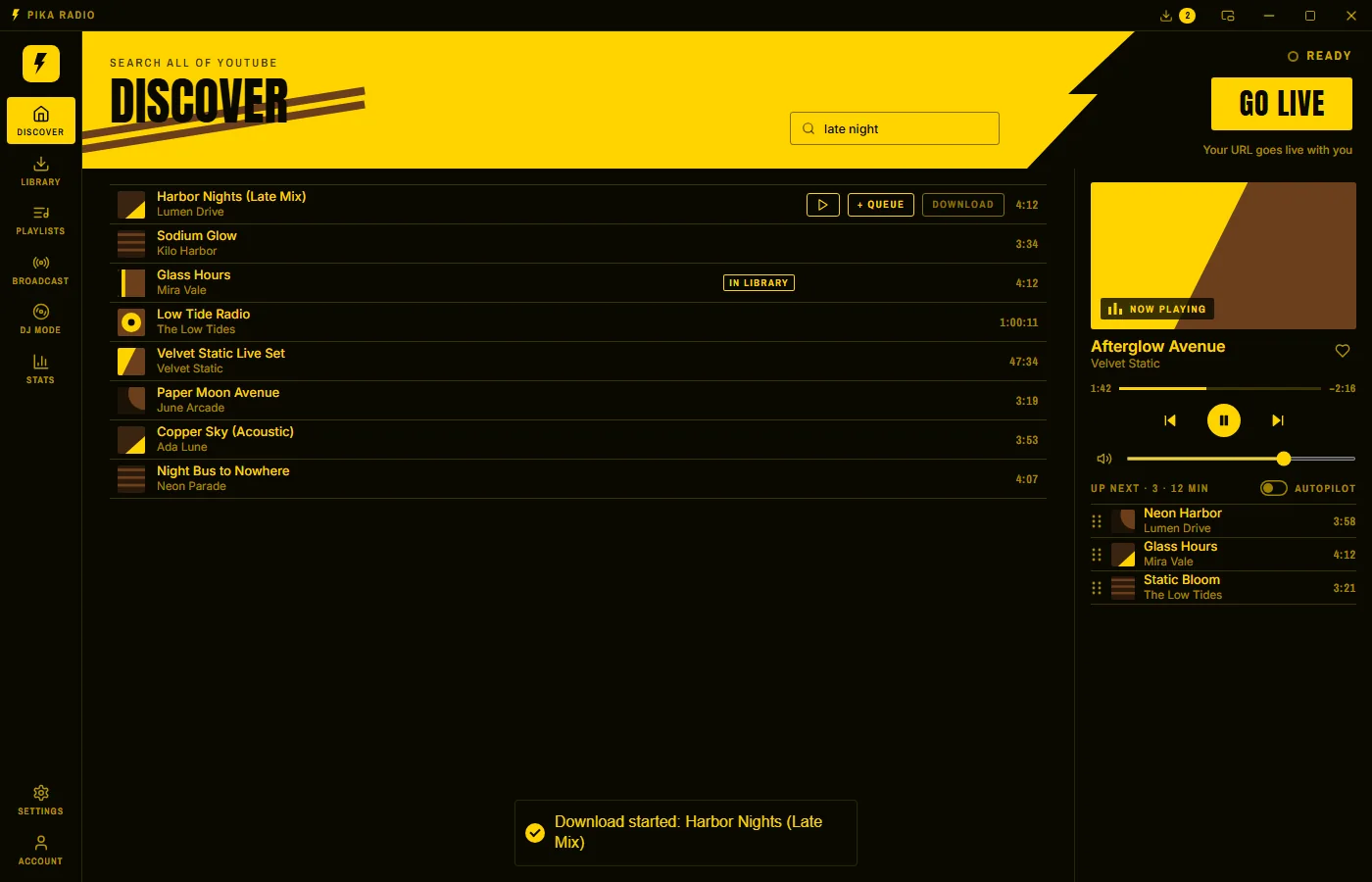
Step 2, Get music: Search YouTube, then press Download. Only stream music you have the rights to.
Step 3, Play and go live: Press Play, then GO LIVE. No GO LIVE, no sound.
Step 4, Queue more: + Queue lines up your set. Autopilot keeps it going.
Step 5, Copy your URL: It sits under your listener count. Guests get a new URL each app start.
Step 6, In your room: Paste the URL into the Music Station.
DJ Mode: Mixxx, VirtualDJ or butt? Open DJ Mode.
That's it. Go live.
Steps
Step 01 of 06
Install
Download the Windows installer from sophey.vodka/pikaradio/download and run it.

Step 02 of 06
Get music
Open Discover, search YouTube and press Download on a track. It lands in your Library.
Only stream music you have the rights to.
Step 03 of 06
Play & go live
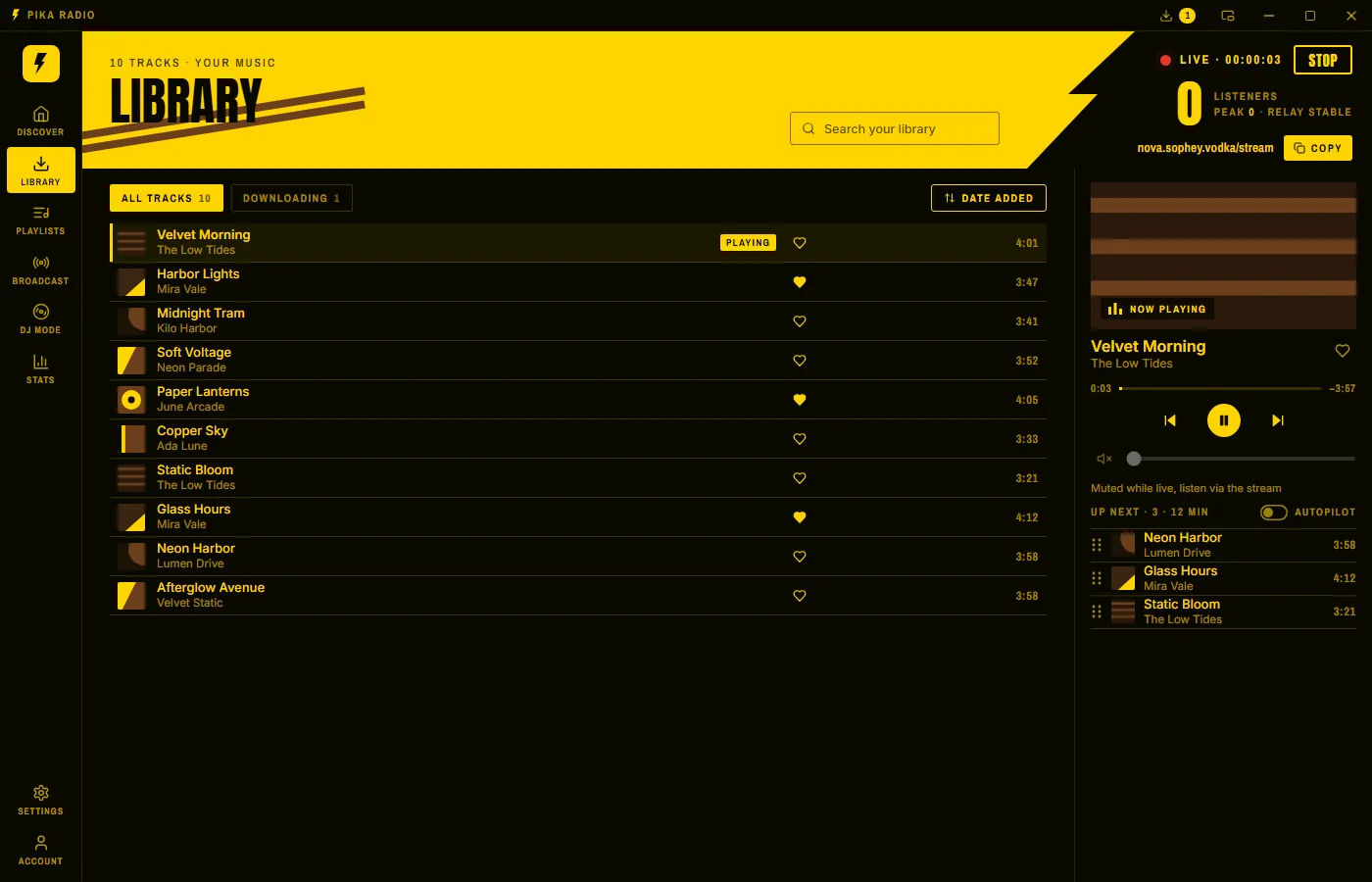
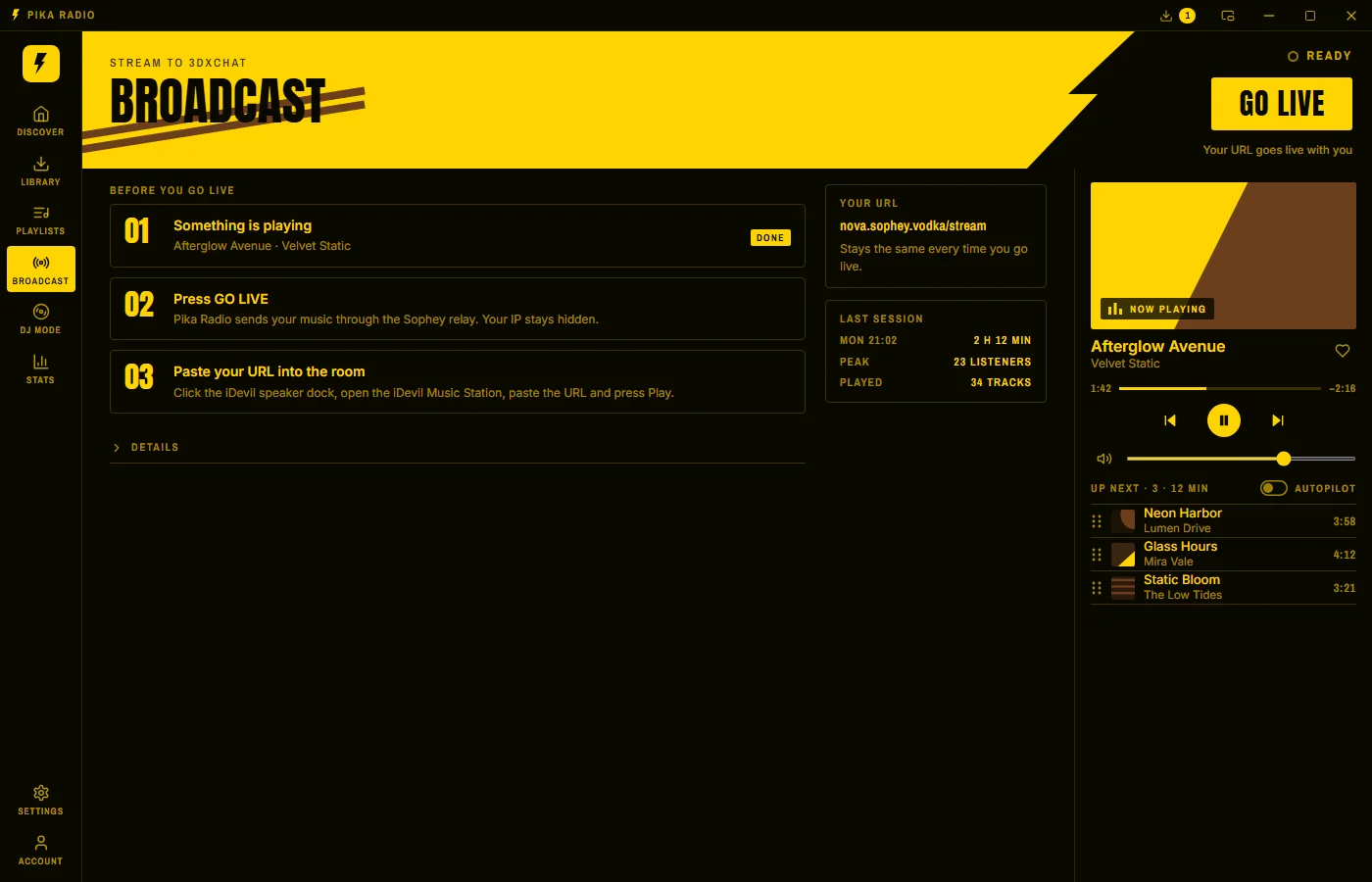
In your Library, press Play on a track. Then press GO LIVE at the top right. When it shows LIVE with the red lamp, you are on air.
No GO LIVE, no sound. Pasting the URL into the room alone isn't enough.
Step 04 of 06
Queue more
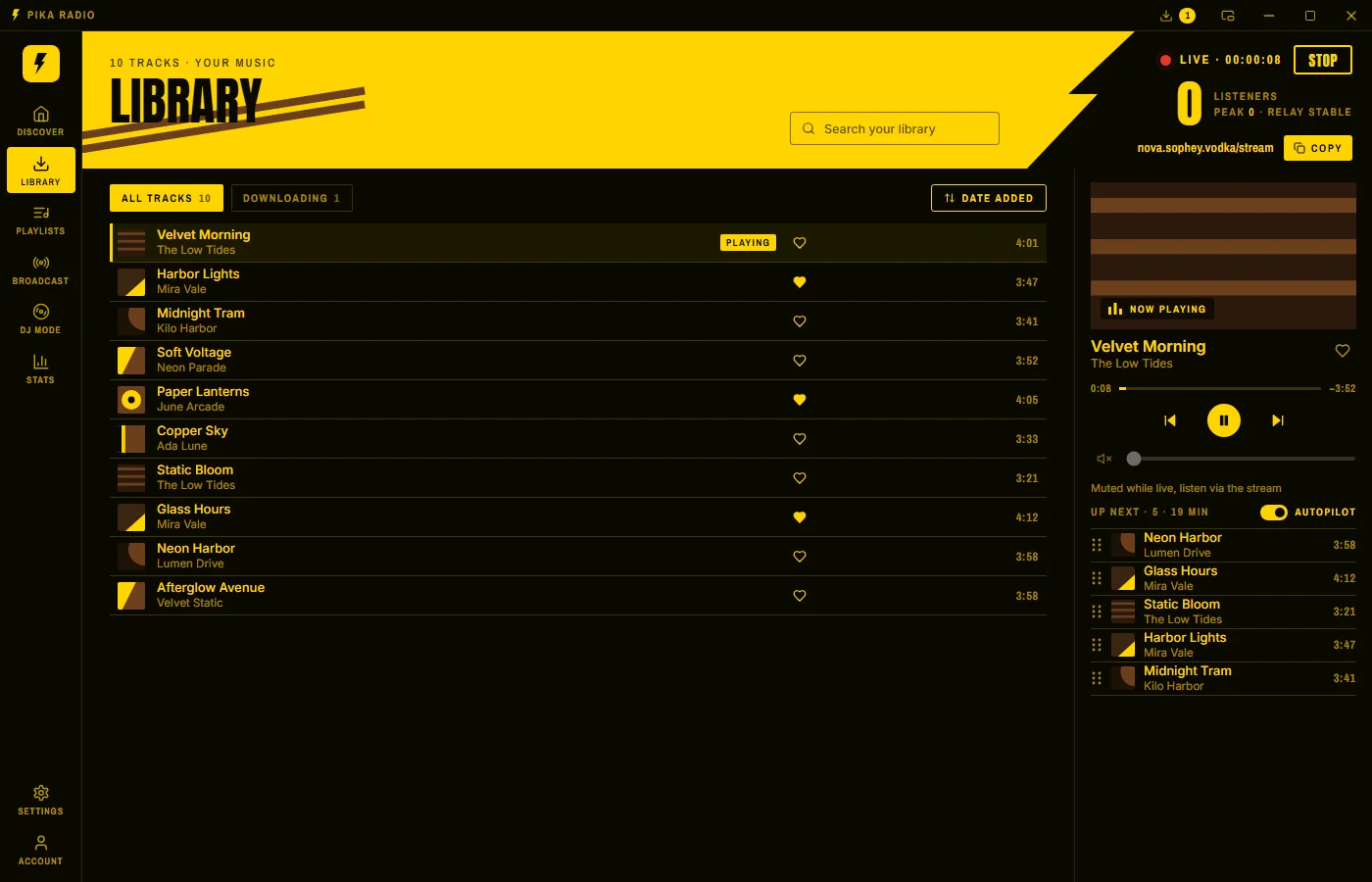
Press + Queue on the next tracks in your Library or on Discover to line up your set. Switch on Autopilot under Up next: when the queue runs low, it adds songs from the YouTube mix of the track that is playing.
Step 05 of 06
Copy your URL
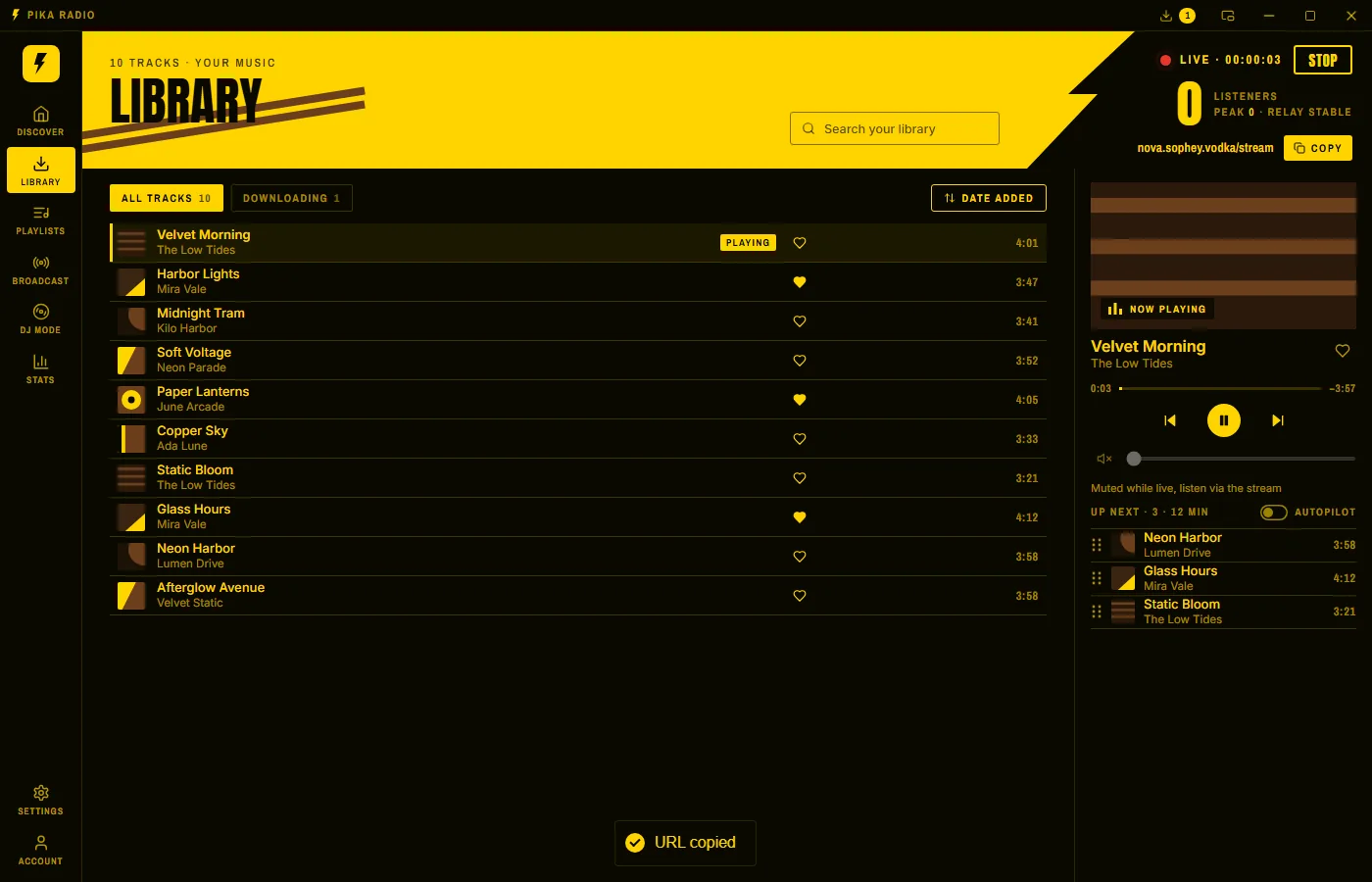
Once you are live, your URL sits under the listener count at the top right; Copy puts it on your clipboard. Registered users get yourname.sophey.vodka/stream. Guests without an account get a generated name from the tunnel each time they start the app, like vodka-tequila-gin-beer.sophey.vodka/stream. Either way it runs through the Sophey relay, your IP stays hidden.
Step 06 of 06
In your room
Paste the URL into the radio of your 3DXChat room. Everyone in the room hears it.
In 3DXChat: click the iDevil speaker dock in your room › iDevil Music Station › paste the URL into the field › Play
The iDevil speaker dock is the black speaker with a tablet on top. The full address with https:// works.
DJ Mode: bring your decks.
Instead of the Library, your DJ software sends the music. Pika Radio runs a small Icecast-compatible server on your PC — no virtual audio cable.
| Type | Icecast 2 (Shoutcast works too) |
|---|---|
| Host and port | 127.0.0.1 on the same PC, or the LAN address DJ Mode shows; port 8082 (as shown in DJ Mode) |
| Mount and password | /source with the username source; password as shown in DJ Mode |
| Bitrate | MP3, up to 320 kbps |
Troubleshooting
Nothing plays in 3DXChat?
- Does the header show LIVE? If not, press GO LIVE.
- Is a track playing or queued?
- Is the URL exactly the one Pika Radio shows you? Guests get a generated one, like vodka-tequila-gin-beer.sophey.vodka/stream.
- Is the relay online?
Checking status…
- Restarted Pika Radio as a guest? Your generated name may have changed — paste the new URL, or register to keep your own.
DJ software won't connect?
- Is DJ Mode running? Open DJ Mode and press GO LIVE first: until your DJ software connects, the header says Waiting for your DJ software.
- Settings copied exactly from Pika's DJ Mode?